Turning Turnaround Safety Conversations Into Records Owners Can Review
Field1st helps an industrial contractor capture job details by voice, bring unanswered safety questions into the pre-work review, and assemble owner closeout records from the work its crews document.
The contractor works inside refineries and chemical plants for several owners. It maintains about 300 craft workers year-round, with more than twice that number during turnaround season. This story follows one turnaround at Owner A's refinery.
Safety lead Dana finds a paper JSA in a truck three weeks after the previous turnaround. In the hazards column, a foreman has written: “line break next bay?” There is no recorded answer, responsible person, or decision.
The problem is bigger than a misplaced form. During a turnaround, temporary crews arrive, multiple trades work near each other, and foremen have to document changing conditions using the owner's required forms. Dana needs to identify records that require attention while the work is still relevant. At closeout, the owner needs a usable record of what the contractor documented and resolved.
At covered processes, OSHA's Process Safety Management standard requires the owner to evaluate contractor safety performance and programs. Contractors must ensure workers receive and understand the required training, follow site rules, and communicate relevant hazards. A JSA supports the record; it doesn't establish that those duties were fulfilled. 29 CFR 1910.119(h).
What the Workflow Is Designed to Improve
01
Less Repeated Typing
Foremen turn a spoken job description into a draft job safety analysis (JSA), then review and correct it.
02
Earlier Visibility
Safety leaders review synced records to see which crews and work areas need attention.
03
Easier Owner Closeout
Captured JSAs, permit references, crew sign-ins, photos, and closed corrective actions support the closeout package.
Start With the Owner's Form and the Foreman's Job
Before mobilization, Dana's team builds Owner A's JSA in Field1st's form builder, preserving the owner's fields and terminology. The owner's safety representative reviews the form against the site template.
The contractor adds fields for workers who meet its short-service definition and their assigned experienced partners. Experienced workers who are unfamiliar with the site are distinguished from short-service workers.
Each form gets a QR code for the unit boards and gate trailer. Subcontractor crews and temporary hands join through Guest Access with a contractor role, without needing a paid seat.
Welding foreman Marcus tests the workflow on a practice assignment before mobilization. He describes the task in Voice1st, checks the draft JSA, and identifies two confusing fields. Dana's team revises them before the crews begin using the form.
The crew's job discussion remains central. Voice capture reduces the effort of translating that discussion into typed answers; the foreman still checks the record and corrects it.
Where the site permits photography and approved devices, crews can also use AI HazardID to flag potential visible hazards and suggest controls for human review. A photo can't establish the atmosphere inside equipment or confirm physical isolation. Those checks stay part of the site's required work and permit procedures.
One Question Changes the Work Sequence
Marcus's crew is preparing to weld a support bracket on a pipe rack. He walks the job with the crew and describes the task, hot-work permit, fire watch, and welding screens in Voice1st. He also mentions that another crew plans to open a heat exchanger in the next bay that afternoon.
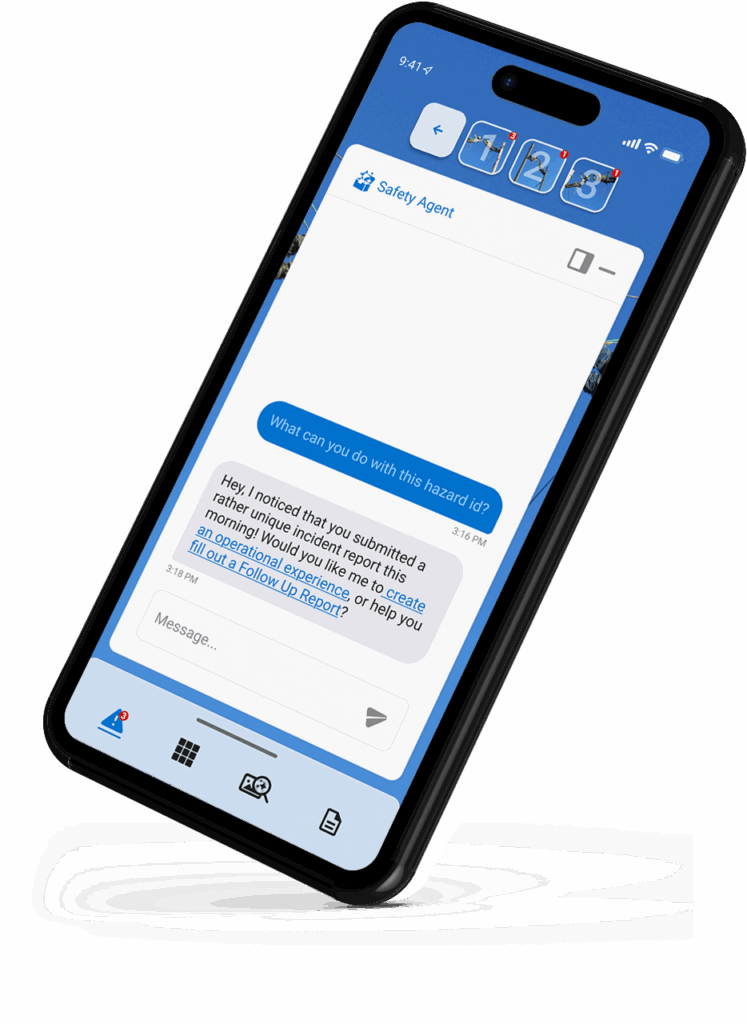
Voice1st creates a structured draft JSA. Before submission, the Missing Hazard Checker prompts Marcus to clarify the gas-testing arrangements and whether the hot work has been coordinated with the crew opening the exchanger.
Marcus can't answer the coordination question. He speaks with the other foreman and the owner's permit issuer. Welding stays on hold while the owner's authorized personnel resolve the conflicting work and verify the permit requirements. Marcus records the decision and revised controls in the JSA.
The information came from Marcus. The prompt made the unanswered question harder to overlook. The owner's permit process governs whether work can proceed.
This time, the record contains the question, the people involved, and the decision.
Give the Safety Lead a Useful View of the Work
Crews save field records on the device when working without a signal. Field1st syncs them as phones reconnect. Dana reviews the synced information through Pulse1st and the dashboards:
High-energy work reported by crew and location.
JSAs returned for correction.
Near-miss reporting patterns.
Crews with short-service workers and their recorded pairings.
When Dana sees several crews reporting high-energy work in the same part of the unit, she uses that information to decide where to walk and which questions to ask. The records support her judgment and field checks.
Build the Owner's Closeout Package From Captured Records
At the end of the turnaround, Dana builds Owner A's proof-of-completion packet from the records captured in Field1st: JSAs by day and unit, permit references, crew sign-ins, photos, and closed corrective actions.
During the job, the owner's safety representative can review the contractor's JSA activity through a branded client dashboard as records sync. That gives the owner access to the documented work before the final packet arrives.
Dana can return to Marcus's JSA and find the exchanger question, the coordination discussion, and the permit issuer's decision together. The record is available for review rather than sitting in a truck waiting to be collected.
Measure the Difference on Your Own Turnaround
To evaluate this workflow, compare representative jobs using consistent timing definitions and owner requirements. Track:
01
Share of jobs with a completed JSA before work starts.
02
Active documentation time per JSA, including review and corrections, measured separately from the crew discussion, job walk, and permit checks.
03
Time from submission to supervisor review.
04
Share of JSAs returned for correction, with the main reasons.
05
Missing Hazard Checker prompts that lead to a change in the plan.
06
Near-miss report counts and rates per 200,000 hours worked, interpreted alongside severity and event type. Increased reporting may reflect better participation.
07
Time spent assembling the owner's closeout package.
08
Owner audit findings on contractor documentation.
These measures would establish whether the workflow saves administrative time while maintaining useful records. They would also provide the evidence for a measured customer case study.
Bring one owner's JSA and your next turnaround schedule. We'll build the form, set up the QR codes, and pilot the capture and review workflow with your foremen before mobilization. Site device rules, human review, and the owner's permit authority remain part of the process.
Help field crews identify, assess, and report hazards across drilling, production, pipeline, and maintenance work, without slowing the work that keeps energy moving.
Field1st helps a utility line contractor turn the morning tailboard into a record of which high-energy hazards were on the job and which control the crew planned for each one, while there's still time to change the plan.
Give operations real-time visibility into field safety, so crews and Safety Managers can capture, share, and act on insights and keep every project on schedule.
Help crews, contractors, and supervisors capture and report hazards without slowing the work, keeping construction projects productive, defensible, and safe.
A major construction project in Florida. A safety manager noticed an increase in injuries at the start of shifts but had no system to predict future risks.
A logistics company in Chicago. A recent OSHA audit uncovered multiple incomplete training certifications. Workers were on-site, unaware they were out of compliance.
A Midwest manufacturing plant. A routine safety inspection uncovered a critical machine failure, but the report was misplaced. Production continued, unaware of the hazard.